AWS CLI를 깔았다
https://aws.amazon.com/ko/cli/
AWS 명령줄 인터페이스
aws-shell은 명령줄 셸 프로그램으로서, AWS 명령줄 인터페이스를 사용하는 새로운 사용자와 고급 사용자 모두에게 도움이 되는 편의 기능 및 생산성 기능을 제공합니다. 주요 기능은 다음과 같습
aws.amazon.com
64 비트 다운로드해서 깔고
cmd 들어가서
aws cli
라고 입력하니까 작동됐다
여기 설명서가 있다
https://docs.aws.amazon.com/ko_kr/cli/latest/userguide/welcome-examples.html
근데 데이터 보고싶어서 입력했더니 라인이 그냥 다 나와버렸다
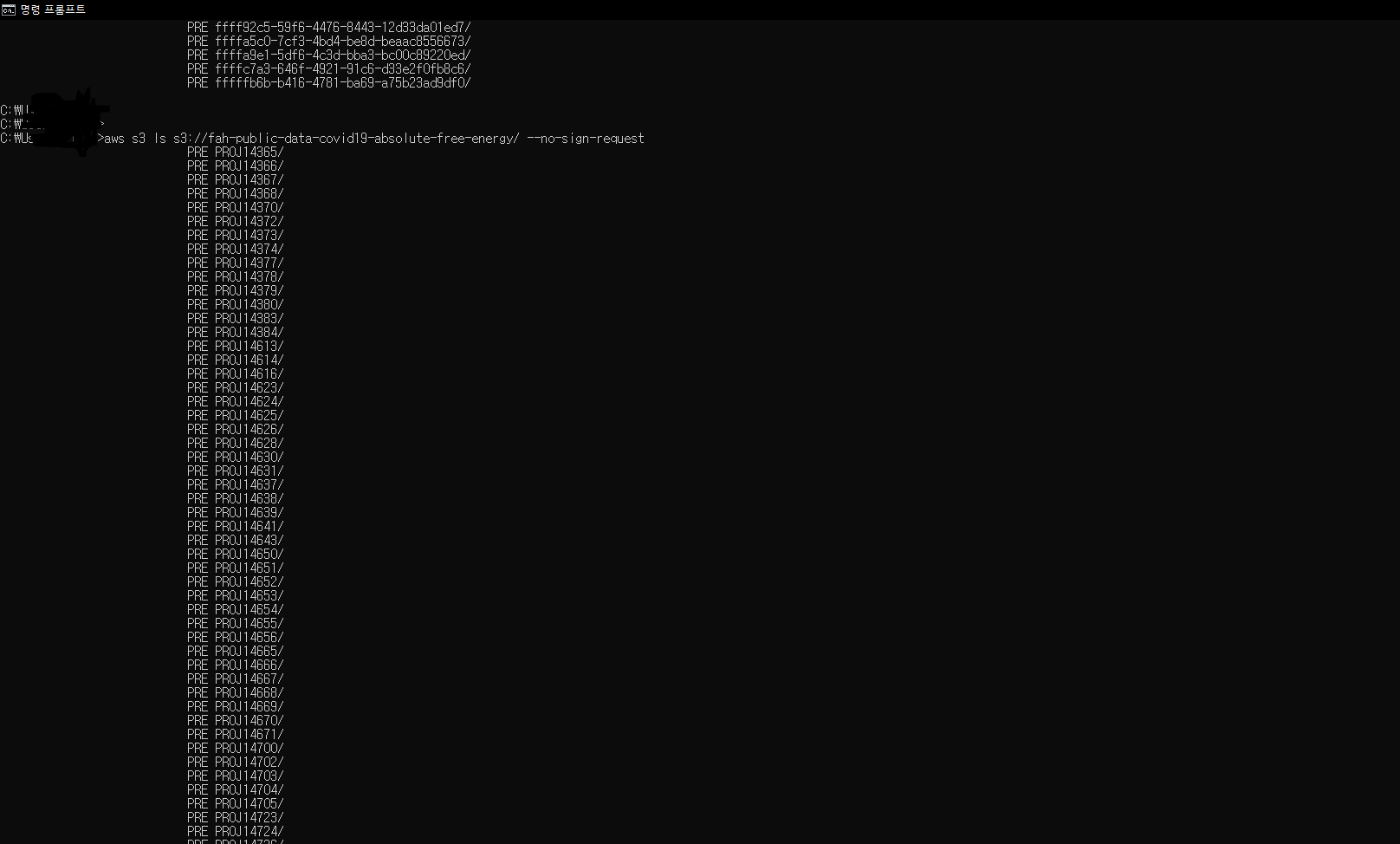
파일 어떻게 받지
파일명처럼 생겼는데
으 복잡해
...
이것부터 해봐야지
https://docs.aws.amazon.com/AmazonECR/latest/userguide/get-set-up-for-amazon-ecr.html
Setting up with Amazon ECR - Amazon ECR
Setting up with Amazon ECR If you've signed up for AWS and have been using Amazon Elastic Container Service (Amazon ECS) or Amazon Elastic Kubernetes Service (Amazon EKS), you are close to being able to use Amazon ECR. The setup process for those two servi
docs.aws.amazon.com
url 따라서 계정 만들기를 완료했다!
다음은 IAM
ECR은 접근하기위해 credential이 필요하네
console에서는 password 쓰면 되고
cli나 api에서 접근하려면 access key 만들면 된다
-> 아 그래서 어도비쪽에 access key를 전달해 줬구나 api로 쏴야돼서
- 뭔가 아는건데 갑자기 다른 느낌으로 오는구만
- 보안파트가 우리 AWS의 account/IAM을 관리하고 있는거구나
AWS 계정(account)랑 IAM은 다른거다. 계정 하나 당 여러개 갖고있을수 있는 느낌.
-계정으로 credential 만들지 말고 IAM으로 만들기를 추천하네
IAM으로 admin 권한 받으면 "special url"로 AWS에 접속할 수 있대.
IAM 콘솔로 내 IAM을 만들었다!
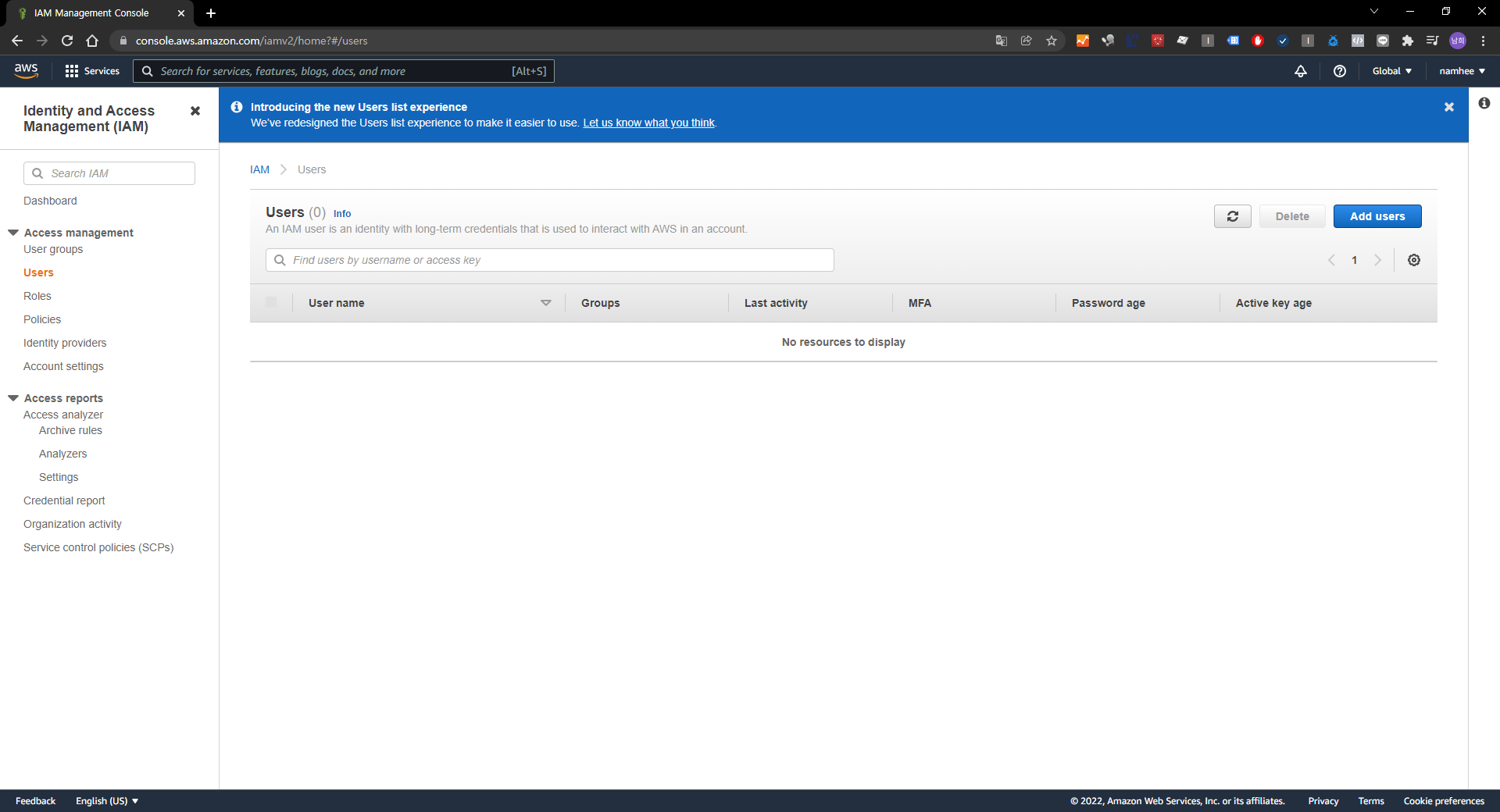
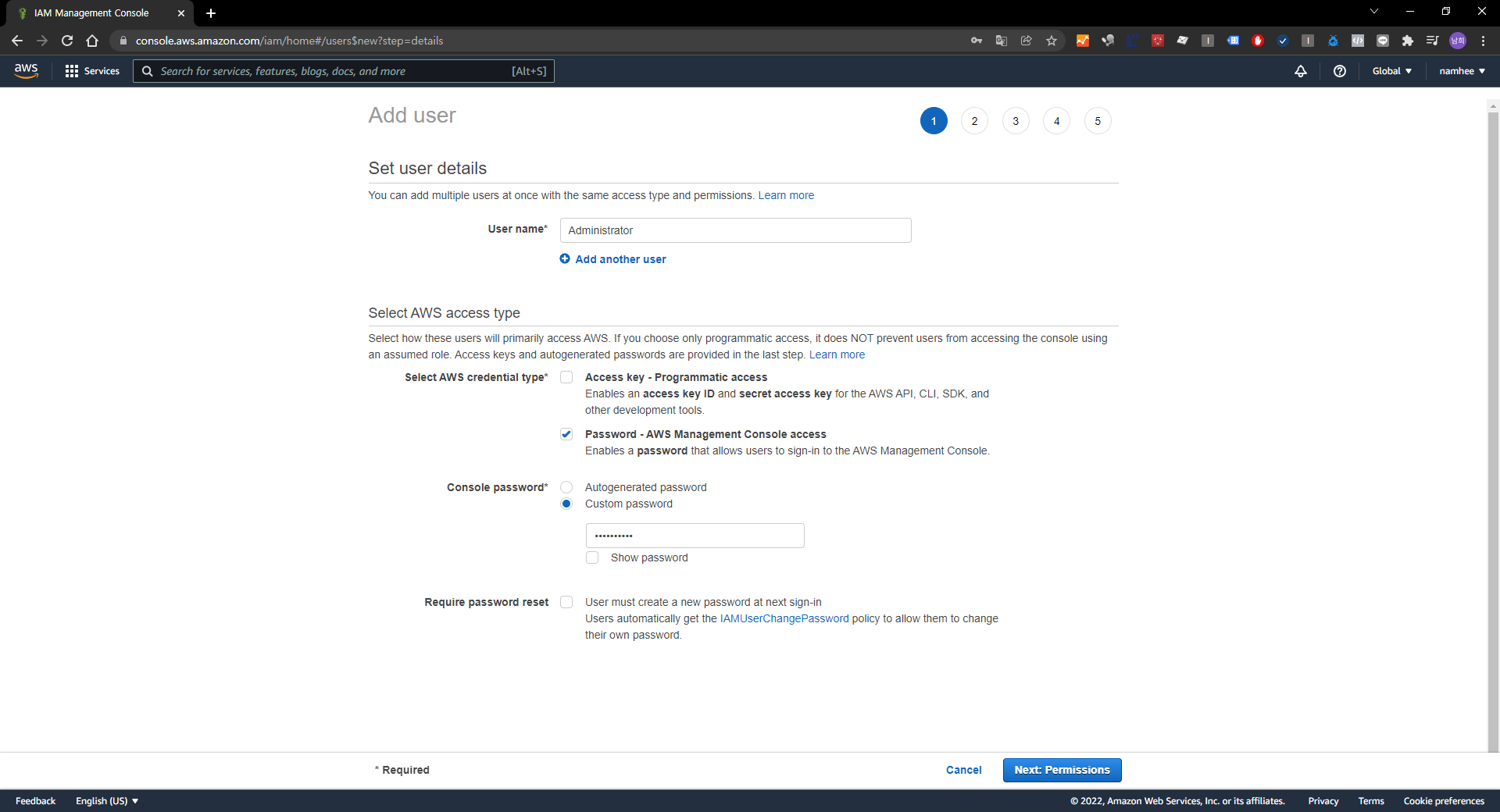
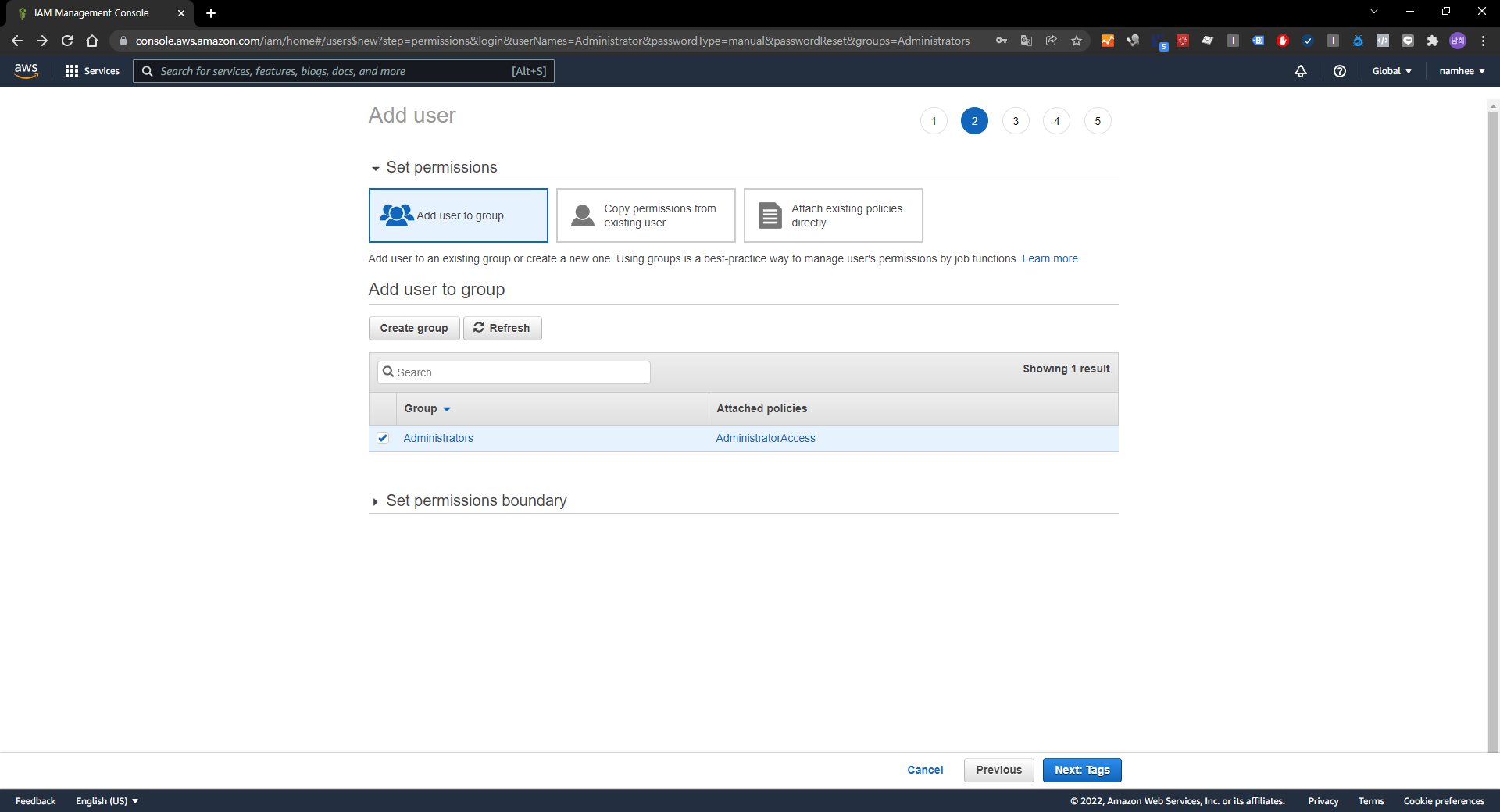


음 계정 로그인할때 userid를 원래 내 이메일 kimnhstat@gmail.com으로 하면 안되고 Administration으로 해야되네--> IAM 완전 계정이랑 비슷
https://your_aws_account_id.signin.aws.amazon.com/console/
여기에 - 빼고 숫자만 your_aws_account_id에 넣으면 됨
내꺼 숫자는
arn:aws:iam::509716264234:user/Administrator
그래서 https://509716264234.signin.aws.amazon.com/console/
https://console.aws.amazon.com/console/home
console.aws.amazon.com
비번 입력하고 들어가면 내가 아는 aws 콘솔
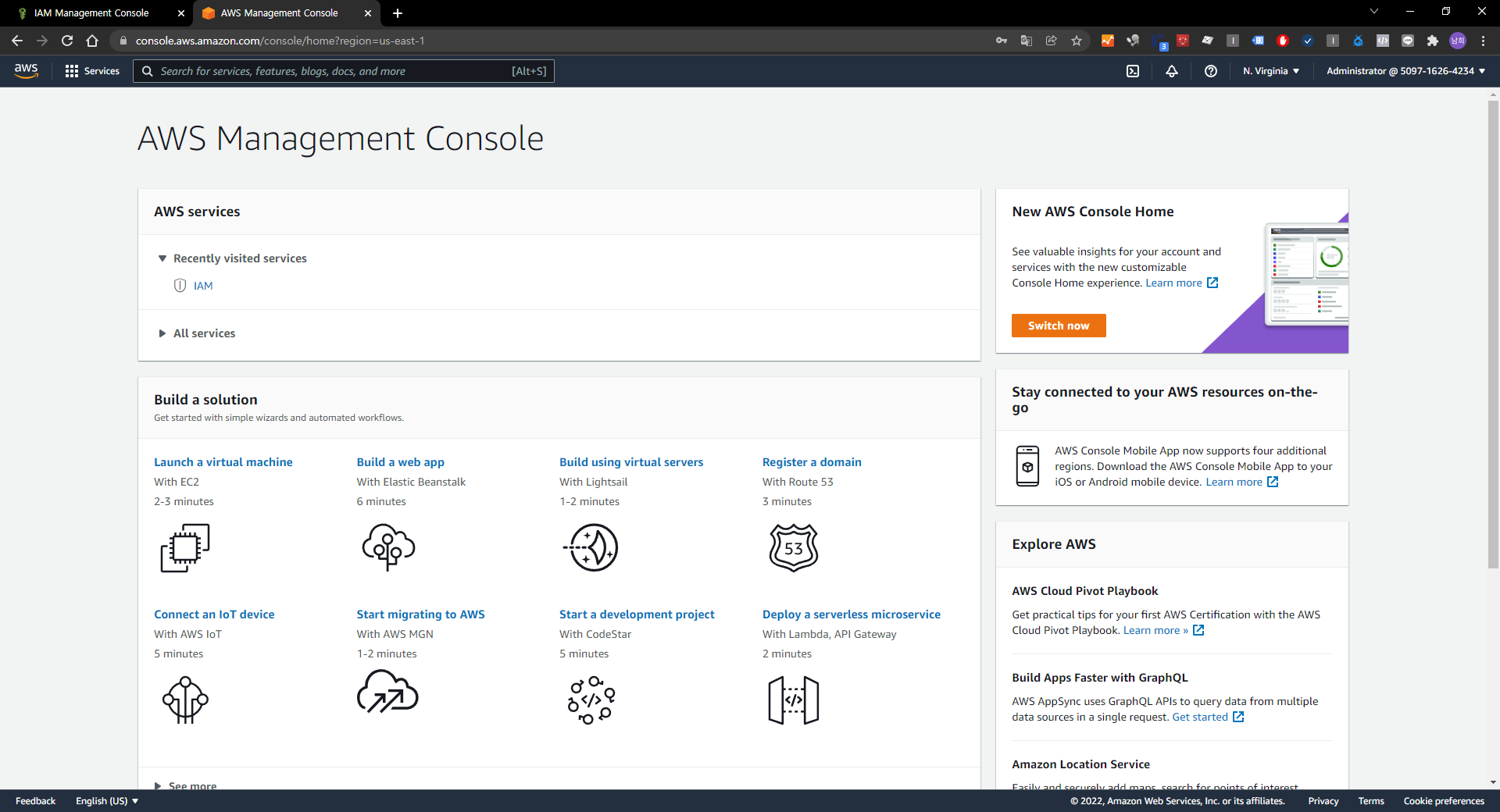
로그인 할 때 내 aws account id 쓰기 싫으면 alias 쓸수 있는데 그건 여기 들어가서 설정하면 된다
| If you don't want the URL for your sign-in page to contain your AWS account ID, you can create an account alias. From the IAM dashboard, choose Customize and enter an Account Alias, such as your company name. For more information, see Your AWS account ID and its alias in the IAM User Guide. To sign in after you create an account alias, use the following URL: |
물론 나는 안쓸거임
그리고 난 지금 개인플젝이니까 안만들건데 다른사람한테 restrict permission 하고 싶으면 이거 읽으면 됨
https://docs.aws.amazon.com/IAM/latest/UserGuide/access.html
Access management for AWS resources - AWS Identity and Access Management
Access management for AWS resources AWS Identity and Access Management (IAM) is a web service that helps you securely control access to AWS resources. When a principal makes a request in AWS, the AWS enforcement code checks whether the principal is authent
docs.aws.amazon.com
자 이제 CLI를 써볼까
CLI: Command Line Interface
걍 쉽게 검은 화면에 명령어 치는거 ㅇㅇ
cli란 : https://nami-it.tistory.com/32
https://docs.aws.amazon.com/AmazonECR/latest/userguide/getting-started-cli.html <- 얘를 따라할거다
Using Amazon ECR with the AWS CLI - Amazon ECR
In some cases, you may need to reboot your instance to provide permissions for the ec2-user to access the Docker daemon. Try rebooting your instance if you see the following error: Cannot connect to the Docker daemon. Is the docker daemon running on this h
docs.aws.amazon.com
(AWS 오픈 데이터 다운받고 싶어하다가 참 멀리멀리 돌아온다 이럴 일이었는가.. )
아 prerequisites 있다; https://docs.aws.amazon.com/AmazonECR/latest/userguide/get-set-up-for-amazon-ecr.html
이것부터 해야된다. ㅠ
일단 오늘은 여기까지만 해야겠다. 커리어 패스 뭘로할지 찾을라다가 엔지니어링 공부하고 있네 ㅋㅋㅋㅋㅋㅋ